Apple M1 Error linking in dylib build, file for arm64
We can make the world better
Error: “Building for iOS Simulator, but linking in dylib built for iOS, file ‘…’ for architecture arm64”
If you face this problem while trying to run Xcode project on the iOS Simulator, please try the solution below:
1. Exclude arm4 from Architectures
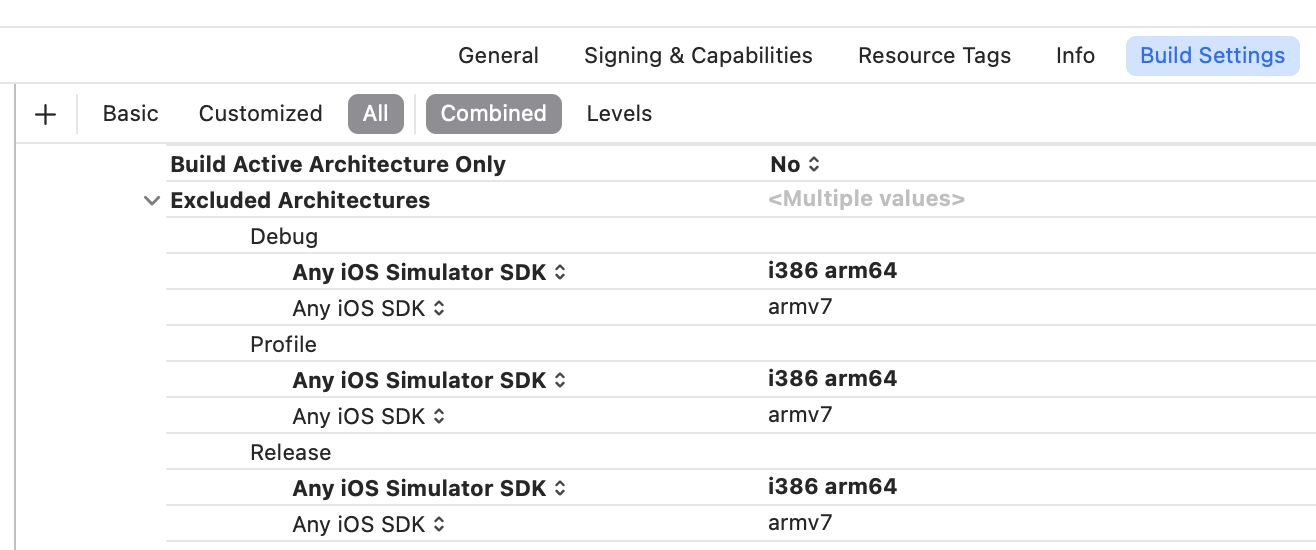
- Simply edit each type (Debug, Profile, Release), and click + to add
arm64to the current list
2. Exclude arm64 from your Pods
- Open your
Podfileand add this to excludearm64from all of your current Pods:
post_install do |installer|
  installer.pods_project.build_configurations.each do |config|
    config.build_settings["EXCLUDED_ARCHS[sdk=iphonesimulator*]"] = "arm64"
  end
end
- Then run this to update your Pods
$ pod install
(Optional) 3. Define your libraries as Optional
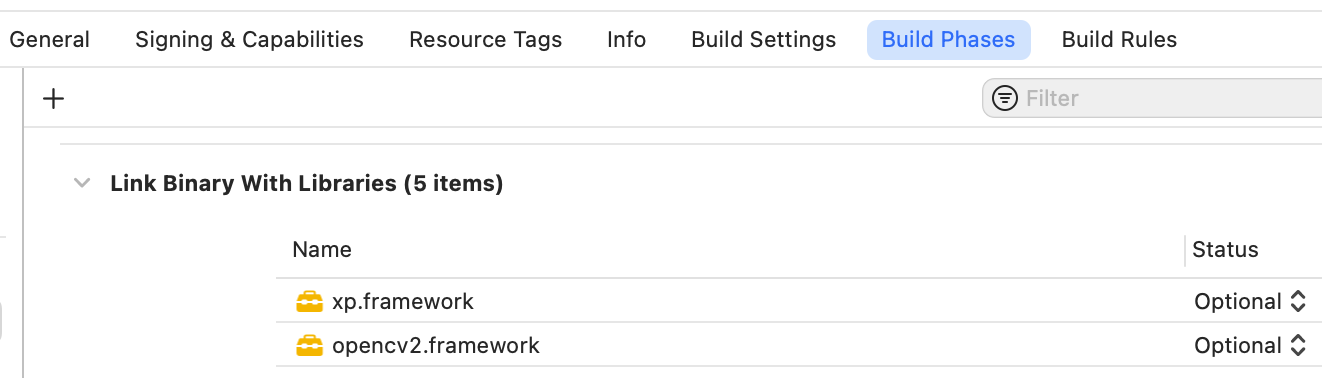
- Consider marking some of your libraries as
Optionalif you’re sure they won’t run well on the iOS Simulator
(Optional) 4. Use pre-defined macro to split your code flow
- Use these macros to split your source code between Simulator and actual iPhone during runtime:
#if TARGET_IPHONE_SIMULATOR
  // Don't use framework
  ...
#else
  // Use framework
  ...
#endif
#if targetenvironment(simulator)
  // Don't use framework
  ...
#else
  // Use framework
  ...
#endif
I hope that this helps
Happy debugging :)